


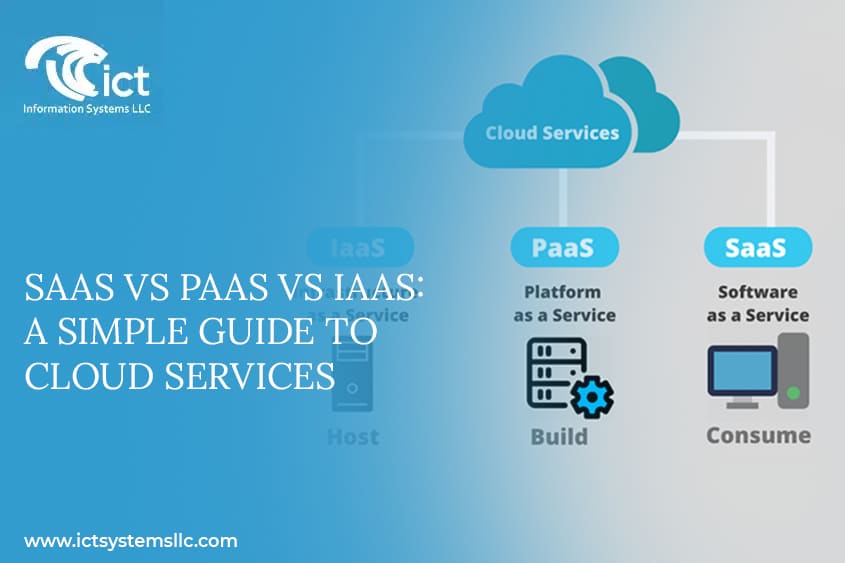
In today’s digital world, businesses rely heavily on cloud computing to scale efficiently, reduce costs, and improve operational flexibility. But when it comes to cloud services, understanding the differences between SaaS vs PaaS vs IaaS can be overwhelming for newcomers. Choosing the right type of cloud service is crucial because it impacts your IT strategy, budget, and long-term growth.
This guide will break down SaaS vs PaaS vs IaaS, explain how each works, and help you decide which solution fits your business needs. By the end, you’ll have a clear roadmap to select the right cloud service model without confusion.
What is SaaS (Software as a Service)?
SaaS, or Software as a Service, delivers software applications over the internet. Instead of installing and maintaining software on your local machines, you access it through a web browser.
Key Features of SaaS
- Accessibility: SaaS applications are accessible from any device with an internet connection.
- Automatic Updates: Providers handle software updates and security patches.
- Subscription-Based Pricing: Typically, SaaS uses monthly or annual subscription models.
- Scalability: Easily add or remove users as needed without infrastructure changes.
Popular Examples of SaaS
- Microsoft 365
- Google Workspace
- Salesforce
- Zoom
SaaS is ideal for businesses that want ready-to-use software without managing infrastructure or development processes.
What is PaaS (Platform as a Service)?
PaaS, or Platform as a Service, provides a development environment in the cloud, allowing developers to build, deploy, and manage applications without worrying about the underlying infrastructure.
Key Features of PaaS
- Development Tools: Includes frameworks, libraries, and APIs.
- Managed Infrastructure: Handles servers, storage, and networking.
- Flexibility: Supports multiple programming languages and frameworks.
- Collaboration: Enables development teams to work simultaneously on the same project.
Popular Examples of PaaS
- Heroku
- Google App Engine
- Microsoft Azure App Services
- AWS Elastic Beanstalk
PaaS is perfect for companies focused on app development, where speed and collaboration are crucial.
What is IaaS (Infrastructure as a Service)?
IaaS, or Infrastructure as a Service, offers virtualized computing resources over the internet. Instead of buying physical servers, you rent them on-demand.
Key Features of IaaS
- Virtual Machines: Provides virtual servers with scalable compute power.
- Storage: Access to virtual storage solutions for databases and files.
- Networking: Virtual networks, load balancers, and IP addresses.
- Pay-as-You-Go: Costs are based on usage rather than upfront investment.
Popular Examples of IaaS
- Amazon Web Services (AWS)
- Microsoft Azure
- Google Cloud Platform (GCP)
- IBM Cloud
IaaS is ideal for businesses needing complete control over infrastructure without the hassle of physical hardware maintenance.
SaaS vs PaaS vs IaaS: Key Differences
Understanding the differences between SaaS vs PaaS vs IaaS can help you select the right cloud service. Here’s a comparative view:
| Feature | SaaS | PaaS | IaaS |
| User Control | Minimal – only settings | Moderate – apps & data | Full control – OS & infra |
| Management | Provider manages everything | Provider manages platform | User manages OS & apps |
| Use Case | End-users | Developers | IT admins & architects |
| Scalability | Easy user scaling | App-level scaling | Full infrastructure scaling |
| Cost Model | Subscription-based | Subscription / pay-per-use | Pay-as-you-go |
When to Choose SaaS
- Your team needs software without managing infrastructure.
- You want quick deployment and minimal IT effort.
- You prefer subscription-based pricing for predictable budgeting.
Example: Small businesses using Google Workspace for email, documents, and collaboration.
When to Choose PaaS
- Your business focuses on software development.
- You want to reduce the complexity of managing infrastructure.
- You need tools and frameworks for rapid development.
Example: Startups building mobile apps using Heroku or Azure App Services.
When to Choose IaaS
- You need complete control over your infrastructure.
- Your workloads require customizable computing, storage, and networking.
- You want to scale resources up or down as needed.
Example: Enterprises running complex applications or hosting virtual machines on AWS.
PaaS vs IaaS: Choosing Between Development and Infrastructure
Many companies get confused between PaaS vs IaaS because both involve cloud computing resources. Here’s a quick guide:
- PaaS is focused on application development. It abstracts infrastructure so developers can focus on coding and deploying apps.
- IaaS is focused on infrastructure management. It gives businesses control over virtual servers, storage, and networking.
Decision Tip:
- Choose PaaS if you are developing new software applications quickly and want to avoid managing infrastructure.
- Choose IaaS if you need maximum flexibility and want to control your infrastructure environment.
Advantages of Cloud Services
SaaS Advantages
- Reduced IT workload
- Lower upfront costs
- Easy collaboration across teams
PaaS Advantages
- Faster development cycles
- Simplified app deployment
- Built-in scalability
IaaS Advantages
- Full control of infrastructure
- High flexibility and customization
- Cost efficiency for large-scale operations
Common Misconceptions About Cloud Services
- All cloud services are the same – False! SaaS, PaaS, and IaaS serve different purposes.
- PaaS and IaaS are only for tech companies – False! Non-tech businesses use PaaS for apps and IaaS for scalable infrastructure.
- Cloud is always cheaper – Partially true. Cost depends on usage patterns and service type.
Future Trends in SaaS, PaaS, and IaaS
- AI Integration: Cloud platforms are embedding AI for analytics, automation, and intelligent decision-making.
- Serverless Architecture: PaaS and IaaS are moving towards serverless computing for efficiency.
- Hybrid Cloud Solutions: Companies increasingly use hybrid models combining on-premise infrastructure with cloud services.
FAQs About SaaS vs PaaS vs IaaS
-
What is the easiest cloud service to start with?
SaaS is the easiest since it requires no infrastructure setup. Applications are ready to use via a web browser.
-
Can a business use all three services?
Yes, many enterprises combine SaaS, PaaS, and IaaS to optimize costs and operations.
-
Which is more flexible, PaaS or IaaS?
IaaS is more flexible because it provides control over the underlying infrastructure.
-
Is SaaS suitable for large enterprises?
Absolutely. SaaS solutions like Salesforce and Microsoft 365 scale easily for enterprise needs.
-
Does PaaS handle security?
Yes, PaaS providers handle platform security, but users are responsible for app-level security.
-
How does pay-as-you-go work in IaaS?
IaaS charges are based on compute, storage, and network resources used, allowing dynamic scaling without upfront costs.
Conclusion
Choosing the right cloud service—SaaS vs PaaS vs IaaS—depends on your business goals, technical expertise, and budget.
- Use SaaS for ready-to-use applications.
- Use PaaS if you need a development platform with less infrastructure management.
- Use IaaS for maximum control over computing resources.
Understanding these differences ensures you invest wisely and leverage cloud computing effectively for growth and scalability.